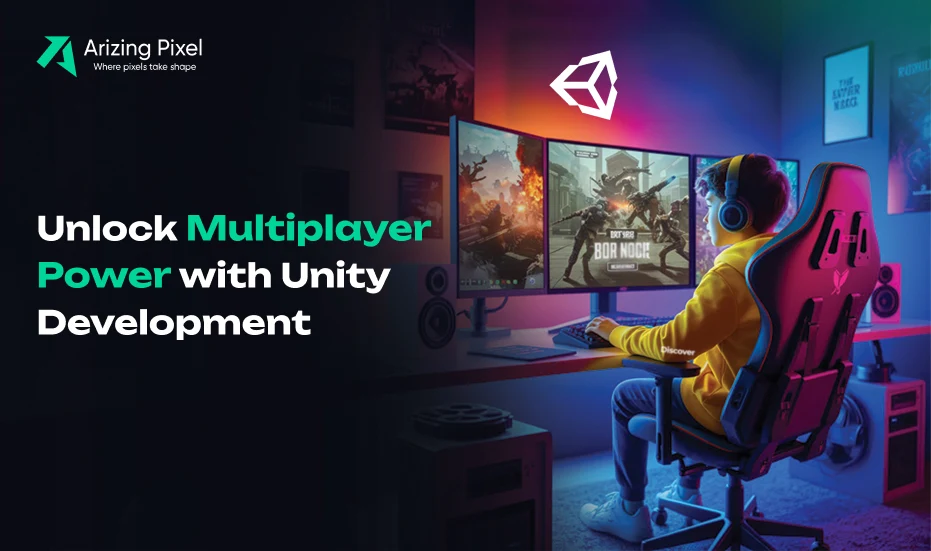
In today’s competitive gaming landscape, player engagement is not just about showcasing great graphics and immersive storylines. It’s about fostering connections that keep players coming back. Multiplayer functionality is the best way to do this, changing the single-user experience into an active community. For any Unity game company, including multiplayer functionality is no longer optional; it’s a critical piece to drive higher player retention. Unity’s flexible, scalable, and developer-friendly qualities make it the engine of choice when creating multiplayer-enabled games for global players.
Why Multiplayer Features Matter for Player Retention
Retention is the lifeblood of any successful game. A visually rich experience may generate downloads, but without active engagement, players will not return. An interactive experience is problematic to maintain. Multiplayer functionality allows developers to tap into the players’ social instincts, engaging the players with competitive leaderboards and co-op experiences (e.g., co-op versus multiplayer), and team-based experiences that act as emotional hooks; these will encourage users to actively return.
Researched, real-life experiences indicate that games with multiplayer modes will retain players longer. Not only that, but in-app purchases and community monetization aspects see a stronger uptick and revenue stream. Ultimately, public multiplayer functionality commits to player engagement and takes the gaming experience to a social experience. This needs to be a factor that all Unity game companies consider when bolstering brand loyalty.Key Multiplayer Features Players Expect
Players today anticipate more than just solo campaigns. The most impactful Unity game development projects include multiplayer features that mirror real-world social interactions.
Some of the must-have elements include:
- Real-time matchmaking: Quick and balanced player matching to maintain fairness.
- Leaderboards and rankings: Encouraging competitiveness and community recognition.
- In-game chat or voice communication: Enhancing collaboration and team strategies.
- Cross-platform play: Allowing users across devices to connect seamlessly.
- Co-op and competitive modes: Supporting varied playstyles and engagement preferences.
By embedding these elements, developers extend gameplay lifecycles and foster stronger player communities.
Explore the Top 10 Unity 2D Game Genres in this Blog.
Preparing Your Unity Project for Multiplayer Integration
Before beginning to write actual code, developers in particular must decide upon which networking solution is right for them. Some popular frameworks include Photon Unity Networking (PUN), Mirror, and Unity’s own Netcode for GameObjects. Each of these has its own advantages, whether that is scalability or speed of integration.
The server architecture itself is equally important. Dedicated servers help limit lag and provide stable connections, while peer-to-peer models are economical and practical for smaller projects, but can lead to connectivity problems in larger-scale games. Solutions demanded by a forward-looking Unity game company must also incorporate scalability and allow for expansion as player bases increase.Steps on Integrating Multiplayer in Unity Game Development
Integrating multiplayer in Unity requires a structured approach to ensure smooth gameplay and scalability.
Key steps include:
- Set Up a Networking Framework
Choose a framework such as Photon, Mirror, or Unity’s Netcode for GameObjects. The choice depends on your project’s scale, budget, and desired features. - Build Matchmaking and Lobbies
Matchmaking ensures fair competition by pairing players of similar skill levels. Lobbies act as pre-game spaces for players to connect, customize settings, and prepare for matches. - Implement State Synchronization
Keeping all players’ game states aligned in real time is essential. Techniques like client-side prediction and lag compensation help minimize delays and enhance responsiveness. - Add Communication Tools
Chat and voice features boost engagement by enabling collaboration and social interaction. Third-party SDKs like Vivox can be integrated smoothly into Unity projects. - Test and Optimize
Rigorous testing across devices and networks ensures stability. Focus on reducing latency, preventing desynchronization, and scaling servers to handle player growth.
By following these steps, a Unity game company can create multiplayer experiences that feel seamless, competitive, and community-driven.
Let’s connect
Best Practices for Seamless Multiplayer Experiences
Simply creating a technically functional multiplayer game is just the start. Retention is achieved through refinement and optimization. Below are some well-established best practices:
- Reduce latency by hosting servers closer to the player base.
- Use anti-cheat to keep the game fair.
- Create balance in game mechanics so that single player and multiplayer are equally gratifying.
- Provide regular updates (maps, challenges, seasonal events, etc.) to keep players coming back.
With these recommendations in place, a Unity game company would not just have a functional game but one in which players want to be engaged.
Challenges to Watch Out For
Multiplayer development is rewarding but not without challenges. Developers often face issues such as:
- High server costs during peak usage.
- Security vulnerabilities, including hacking and DDoS attacks.
- Complex debugging across different devices and platforms.
Anticipating these challenges and investing in robust infrastructure is essential for any serious Unity game company looking to scale sustainably.
The ROI of Multiplayer Integration
As a business, multiplayer has a significant return on investment. When players are around longer, it creates more opportunities to monetize them. Players in multiplayer environments engage with things like battle passes, upgrades, or subscription models, as there are inherent values of personalization and community status with these types of games. Community games also benefit from lower acquisition costs through word-of-mouth marketing for the developer.
By prioritizing multiplayer, Unity game development projects not only enhance gameplay but also deliver tangible financial results.Hire the Top Unity Game Company
Retention is the ultimate measure of success in a saturated game market. Multiplayer features comprise the social glue that brings players to the game, reminding those players to come back time and time again and ultimately forming communities of players. Unity is in the best position for these experiences, given its wide variety of frameworks and developer-friendly tools tailored to multiplayer demands. For any Unity game company, integrating multiplayer is a strategic decision to remain relevant and profitable in today’s game economy.
Looking to enhance your Unity project with powerful multiplayer capabilities? Arizing Pixels’ specialization in unity game development will enable you to incorporate features that promote player engagement and retention. Contact us today to create a game worth coming back to time and time again.